
TSCM Field Operator App
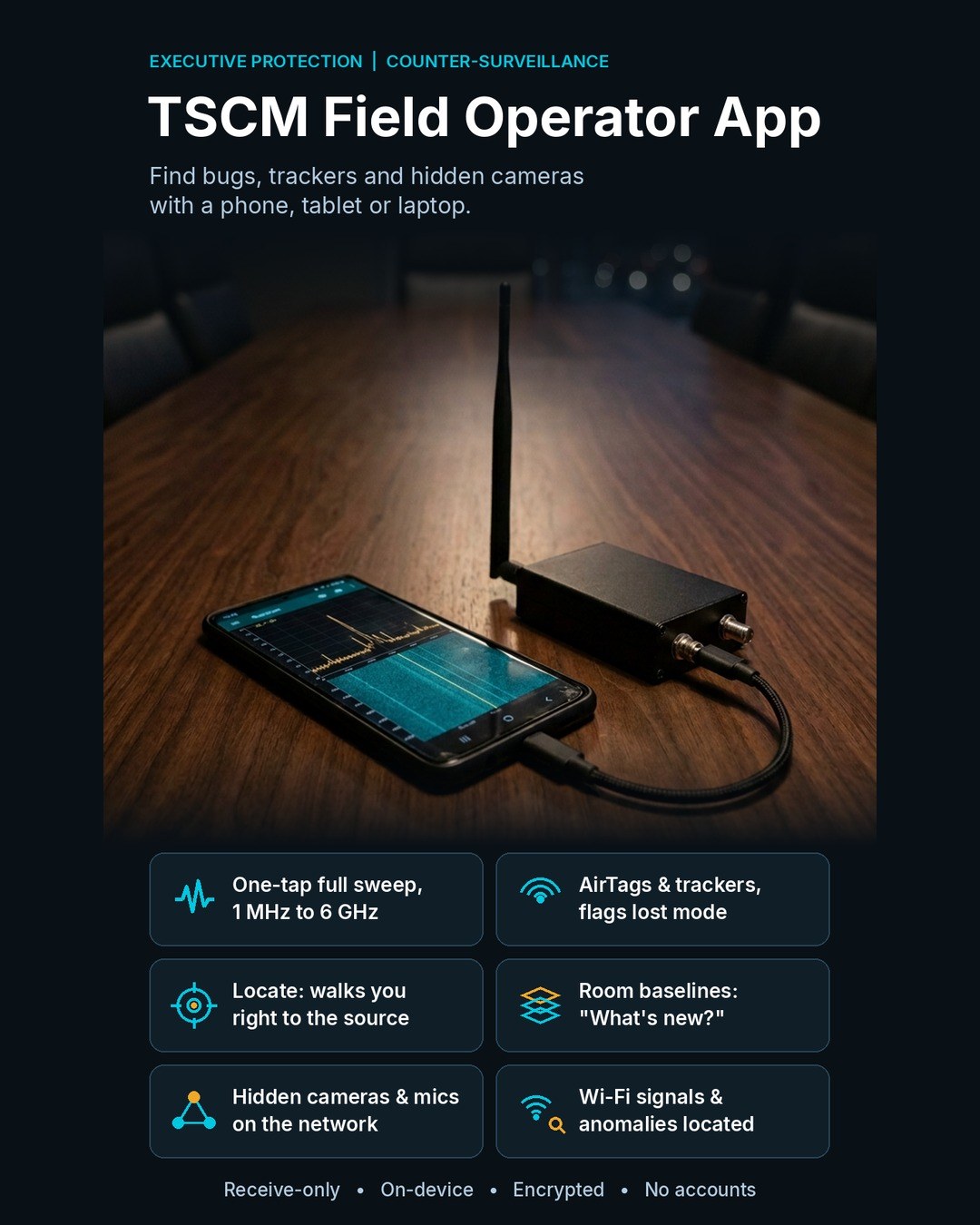
The TSCM Field Operator App turns an Android phone, tablet or laptop (Mac, Windows, Linux) into a professional counter-surveillance sweep kit for executive protection teams. It finds bugs, trackers, hidden cameras and rogue devices, shows what looks wrong, and then walks you right to it. Results are in plain language, so no TSCM expertise is needed.
How it runs
- Phone or laptop alone: checks Wi-Fi, Bluetooth, trackers, the local network, and on the phone, cell towers and GPS.
- Add a HackRF radio (phone or laptop) or a Signal Hound receiver (laptop): full RF spectrum sweeps from 1 MHz to 6 GHz.
- Add the thumb-size Wi-Fi sensor: deeper Wi-Fi detail and faster readings.
- Works on Android tablets with a large-screen layout.
One-tap sweeps
- Full sweep runs every radio at once (RF, Wi-Fi, Bluetooth, cell, GPS and the local network) for 5 minutes, catching devices that only transmit now and then.
- Results come back ranked by threat with a clear next step for each.
- Save a baseline of a room, sweep again later, and “What’s new?” shows only what appeared or changed.
- Live difference view highlights changes as they happen.
Spectrum
- Live spectrum and waterfall make anomalies stand out: signals that weren’t there before, come and go, or don’t match known services.
- Build signal lists and watch lists, and export them to CSV.
- Compare 3 or more scans from different spots or times; the app ranks the signals that changed most and shows where each was strongest.
- Tap Locate on any flagged signal to walk it down with a meter that beeps faster as you get closer.
Bluetooth
- Lists every nearby device and identifies trackers (AirTag, Find My, Tile, SmartTag, Chipolo, Pebblebee, Google) with a risk level.
- Flags trackers in separated or lost mode, the state a tracker is in when it’s been planted on someone.
- Live radar shows trackers in red, Lock on guides you to them, and Make it beep rings supported devices.
- Counter-surveillance watch (phone) logs devices around you all day and alerts you to any that keep following.
Wi-Fi
- Shows every network and device with maker, channel and strength, plus a live channel chart, so anomalies are easy to spot: likely cameras, fake copies of a network, hidden or open networks, and anything new since a saved scan.
- Enhanced Locate guides you to the exact source of a suspicious Wi-Fi signal with a smoothed strength reading, a warmer/colder trend, the strongest reading so far, and a trail of where the signal peaked as you walk the room.
Network analysis
- Lists every device on the Wi-Fi you’re joined to, with maker and likely type.
- Flags hidden cameras, microphones (smart speakers, desk phones, intercoms), remote-controllable devices and homemade gadgets.
- Beeps the moment a new device joins during a meeting.
Cell and GPS (phone or capable tablet)
- Flags cell towers that look out of place and watches for GPS jamming or spoofing.
Cases and reports
- Saved scans and cases are encrypted, with app lock and secure delete.
- Professional reports start blank, with one tap to add LaSorsa and Associates details and logo or your own, plus captioned screenshots.
Privacy
- Receive-only and fully on-device: no cloud, no accounts, no tracking.
Limitations
- A fast field screening tool, not a replacement for a full TSCM inspection.
- It only finds devices that are transmitting or on your network. Devices that are off, wired or recording to a memory card won’t show up, and a clean scan never proves a room is clear.
- Meters and radar show strength, not direction. Compare narrows the area but doesn’t pinpoint a device.
- Phones change their IDs, so they’re hard to follow. Without the C5 sensor, ordinary phones can’t be seen at all.
- The HackRF can miss short bursts and very weak signals.
- The C5 checks one channel at a time and can’t hear 6 GHz Wi-Fi.
- Only some Bluetooth devices can be made to beep, and cell tower checks are rules of thumb, not proof.
Pricing
- $299 per year for up to 2 devices
- $99 a year for LaSorsa and Associates alumni
- Free for TSCMC alumni
Note on installing this app
- LaSorsa and Associates is an approved Android Developer, however the Android app isn’t on the Google Play Store because of Play’s restrictions on security and counter-surveillance tools, so it is distributed directly instead. Installing it takes just a minute: download the file, open it, and allow your phone to install apps from that source when asked. Future updates will appear inside the app.
- LaSorsa and Associates is an approved developer with Microsoft and with Apple. The desktop apps are registered and signed, so your computer should allow the install seamlessly. If you have any issues - on a Mac, go to System Settings, then Privacy and Security, and click Open Anyway, on Windows, click More info, then Run anyway. You only need to do this once, and future updates will appear inside the app.


