
These iPhone Shortcuts for Connectivity provide a fast and efficient way to manage essential network and communication settings directly from one place.

These iPhone Shortcuts for Connectivity provide a fast and efficient way to manage essential network and communication settings directly from one place.
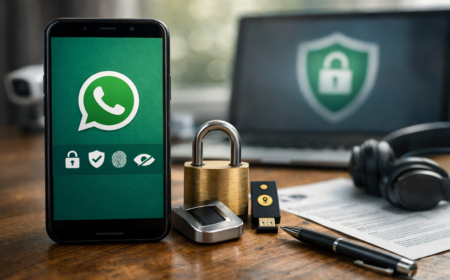
If privacy matters to you, you’ll want to be intentional about how WhatsApp handles your messages, calls, and profile metadata. Below is a refined, professional walkthrough that explains each setting in plain language, followed by a clear step-by-step implementation guide. Insert the images you provided at the indicated spots to enhance clarity.

Did you know??? Saved Networks = Vulnerabilities.
Every time your phone’s Wi-Fi is on, it “probes” for saved networks (e.g., “Smith Home WiFi” or “My Gym WiFi” etc.). Attackers, stalkers, or surveillance tools can capture these probe requests and infer your past locations (home Wi-Fi, offices, hotels, gyms, events, schools, training facilities, etc.). This data can build a pattern of your routines — where you live, work, train, travel, study, or stay.
In today’s connected world, your Google Account is often the digital hub for your emails, photos, files, and browsing activity. With so much personal information flowing through it, keeping your account private and secure isn’t just an option—it’s essential. Fortunately, Google provides powerful built-in tools to help you safeguard your information, and one of the most effective is the Google Privacy Checkup.
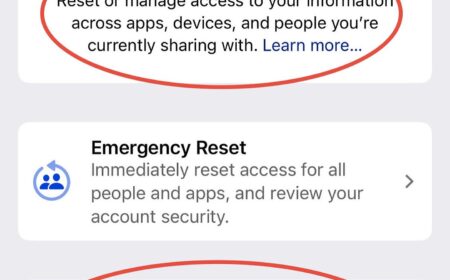
Your iPhone has built-in privacy and security tools that let you see who and what has access to your data, location, and accounts. A quick Safety Check can give you peace of mind and control over your digital footprint.
Want tighter privacy on Android without ditching Google entirely? Below is a practical walkthrough—based on the exact screens you shared—to reduce data collection, ad targeting, and accidental exposure while keeping core services usable.
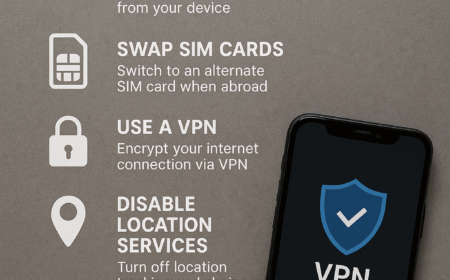
Traveling with smartphones comes with hidden risks. Whether at home or abroad, your phone constantly emits signals, stores personal data, and may leave a digital trail that compromises your privacy. This guide highlights simple but effective steps to keep your device secure and your movements discreet.

With more and more people conducting business at home, employees working remotely and even CEOs running companies from their residences, it is no surprise the FBI has reported a more than 300% increase in cyber crimes since COVID began. This article is intended to discuss the very basics of cyber security that we can apply to our homes to make us more secure.

The majority of attacks on mobile devices focused on human exploitation, as found in the Proofpoint Human Factor Report. Basically, various messages, mainly emails, were sent with malicious attachments or links that relied on human actions or responses to initiate the breach, rather than technically infiltrating a system directly. This being the case, increasing your knowledge and awareness is going to be the best preventative action you can take to safeguarding your information.
